How Multi-Color AMS Printing Works (And Why It Changes Everything)
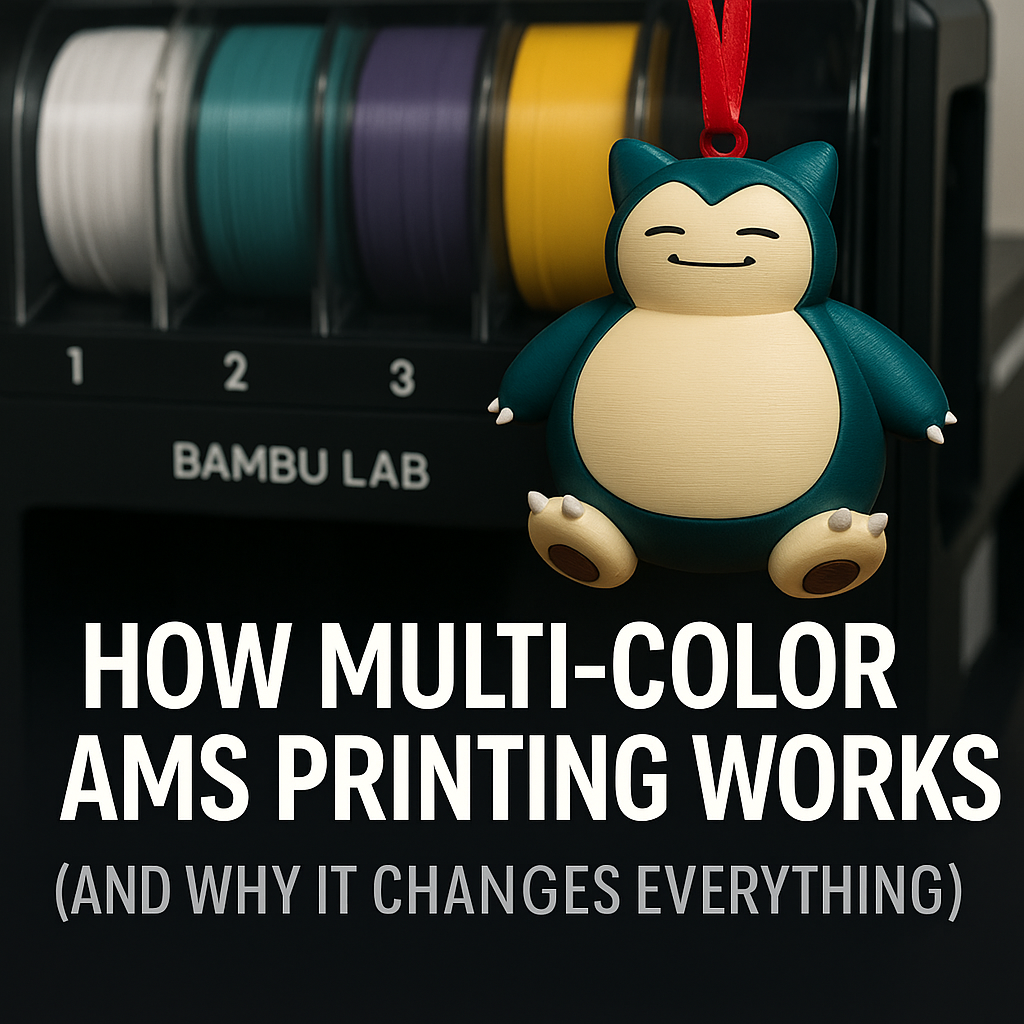
If you have spent any time in the 3D printing world lately, you have probably seen colorful, perfectly aligned multi-color prints and thought, “There is no way I am painting all that by hand.”
That magic is usually powered by an AMS.
At NerdMatter3D, a huge portion of our products, from bookmarks to smart business cards, are printed using multi-color filament systems. In this post, we will break down how an AMS works, why it is such a game changer, and what it means for your own prints.
What Is an AMS?
AMS stands for Automatic Material System. It is an add-on that holds multiple spools of filament and lets your printer automatically switch between them during a single print.
Instead of you stopping the print, cutting the filament, and loading a new color manually, the AMS handles it for you under the control of the slicer and printer.
Most AMS style systems:
- Hold several spools
- Feed filament into the printer through a PTFE tube
- Detect which filament is loaded
- Purge old color before a new one starts printing
The result is clean, repeatable color changes that happen while you sit back and watch the timelapse.
How Multi-Color AMS Printing Actually Works
Let’s walk through what happens during a multi-color print.
1. You Assign Colors in the Slicer
In your slicer software, you load a 3D model and tell the slicer which parts should use which filament. For example:
- Slot 1: black
- Slot 2: teal
- Slot 3: purple
- Slot 4: accent color
You then assign each model part or layer to one of those slots.
2. The Slicer Plans Filament Swaps
The slicer looks at the model and slices it into layers. Whenever a different color is needed, it inserts special commands into the print file.
Those commands tell the printer:
- Which spool to pull from
- When to pause printing and perform a swap
- How much filament to purge so old color is cleared out
3. The AMS Handles the Swap
When the printer reaches a color change command, the AMS:
- Retracts the current filament
- Sends it back into its slot
- Loads the new filament from the selected spool
- Pushes the new filament through the tube toward the hotend
All of this happens automatically.
4. Purging the Old Color
Before printing with the new color, the printer purges a bit of filament to remove any leftover color from the previous spool. This is why many multi-color prints use a purge tower or a built in purge pattern.
Once the new color is clean, the printer goes back to the main model and continues as usual.
Why Multi-Color AMS Printing Changes Everything
1. True Multi-Color Prints in a Single Job
Before AMS style systems, multi-color prints were:
- Manual
- Slow
- Easy to mess up
You had to babysit the printer and swap filament every time the layer changed. With an AMS, you can load several colors, hit print, and walk away.
This opens the door to:
- Detailed logos
- Text labels
- Color separated graphics
- Layered designs like our NerdMatter3D cards and bookmarks
All in one print.
2. Cleaner Results Than Hand Painting
Painting 3D prints will always have a place, but for sharp lines and text, nothing beats multi-color printing.
Benefits include:
- Perfect registration between colors
- No brush strokes
- Consistent colors across large batches
- No need for masking tape or primer
For products like business cards, bookmarks, and dice towers, this consistency is huge.
3. Faster Production for Shops and Makers
In a small shop or print farm, time is everything. AMS printing lets you:
- Queue up complex designs without babysitting
- Run multi-color batches overnight
- Reproduce the same design perfectly across multiple printers
That is how we keep up with orders while still experimenting with new designs.
4. Creative Design Possibilities
Once you know you can rely on clean color swaps, your design brain starts to change.
You can:
- Build patterns into the model instead of adding stickers later
- Use color to communicate function, not just aesthetics
- Create layered text that pops off the surface
- Design products that are only possible through multi-color printing
If you have seen our holographic inspired NerdMatter3D branding pieces, you have already seen this in action.
What About Material Limits?
Most AMS systems are designed for standard materials like PLA and PETG. There are a few things to keep in mind:
- Different materials often require different temperatures
- Mixing flexible filament with rigid filament is tricky
- Moisture sensitive filaments need dry storage
For most makers, starting with PLA multi-color prints is the sweet spot. It gives you great results with the least amount of drama.
Does Multi-Color AMS Printing Waste Filament?
There is no way around it. Multi-color printing creates some waste through purging. Here is how makers reduce that impact:
- Reuse purge blocks by grinding them down for recycled filament projects
- Design models that minimize unnecessary color swaps
- Group similar colors together in your designs
- Use purge artifacts as testing pieces, keychains, or color chips
The tradeoff is usually worth it for the final product quality, especially for items you plan to sell.
When Is AMS Multi-Color Worth It?
Multi-color AMS printing is especially valuable if you:
- Sell products that rely on clean graphic elements
- Want to brand your prints with logos or text
- Love bold, colorful designs
- Run a small print farm or Etsy shop
- Want to push beyond “single color benchy” level prints
If any of those sound like you, it might be time to consider a multi-color setup.
Final Thoughts
Multi-color AMS printing brings professional level color control to home and small studio printers. Instead of treating color as an afterthought, it becomes part of the design itself.
For makers and small businesses, that means:
- Better looking products
- Faster production
- More creative freedom
And for your customers, it means getting unique pieces that feel polished and intentional.
Ready to See Multi-Color AMS Printing in Action?
One of our favorite examples of vibrant multi-color printing is our Snorlax Holiday Ornament.
It is printed using the same AMS multi-color process described in this post, giving it bold details, crisp color separation, and a smooth finish that looks amazing on any tree.
Check it out here:
👉 https://nerdmatter3d.etsy.com/listing/4398831457
If you want to bring a little nerdy cheer to your holidays, this one is a must-have.